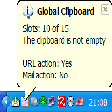
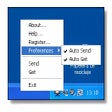
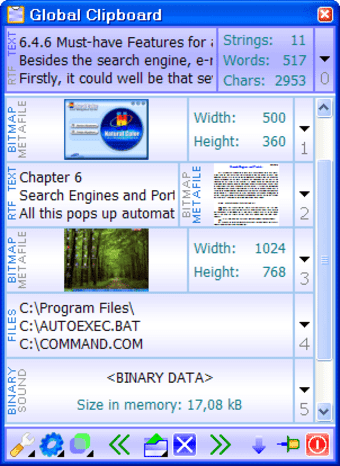
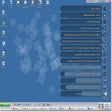
Ah, the clipboard, that treasure chest filled with those precious clippings that you've cut or copied from your documents. The clipboard manager in Word is alright, if not somewhat limited. Global Clipboard brings some more functionalities, like text conversion tools. It shows the number of words, characters and strings in your clipping and images. All the elements you've copied to Global Clipboard are automatically saved so you don't have to worry about losing them. You can also move elements from slot to slot thanks to the back and forward arrows.
Despite these useful features we were disappointed by this application. Even though it's easily accessible via the tray icon, the program interface is all too cluttered. There's no maximize button and the window only resizes according to the number of clippings you add. The transparency tool is inefficient as once you set it higher than 30% the window is barely visible anyways.
Global Clipboard offers some interesting features but the usability of the application could definitely be improved.
The program saves all the information that is copied to the clipboard. Therefore, you can restore any data used during your work. A flexible interface and convenient viewing make it possible to receive all the information on each data fragment.
The Global Clipboard manager allows filling in forms easily, because it keeps a list of necessary information that is always visible. Now you can see the number of strings, words and symbols of the copied text, and also the sizes of images or screenshots. With this program, you can use the clipboard to merge texts copied from different applications.
During the next work session all the contents of the clipboard and all data fragments will be restored, so that you could continue the work quickly. You can change the case of the text and transform images in the clipboard by pressing a hotkey. To write a message or open a link, now you should just copy the address, and the Global Clipboard manager will launch the necessary application itself.
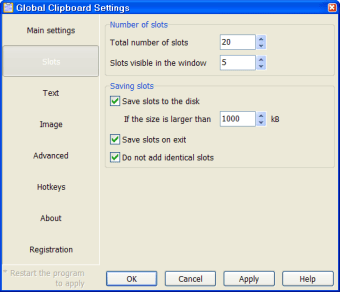
The large number of parameters will allow you to customize the program in order to increase the productivity to a considerable extent and simplify the work. The program has a multilingual interface that will allow you to use your native language when you work with it.
Laws concerning the use of this software vary from country to country. We do not encourage or condone the use of this program if it is in violation of these laws. Softonic may receive a referral fee if you click or buy any of the products featured here.